The glitch continues, but thankfully my web developer is making progress. Hopefully, it will be fixed today.
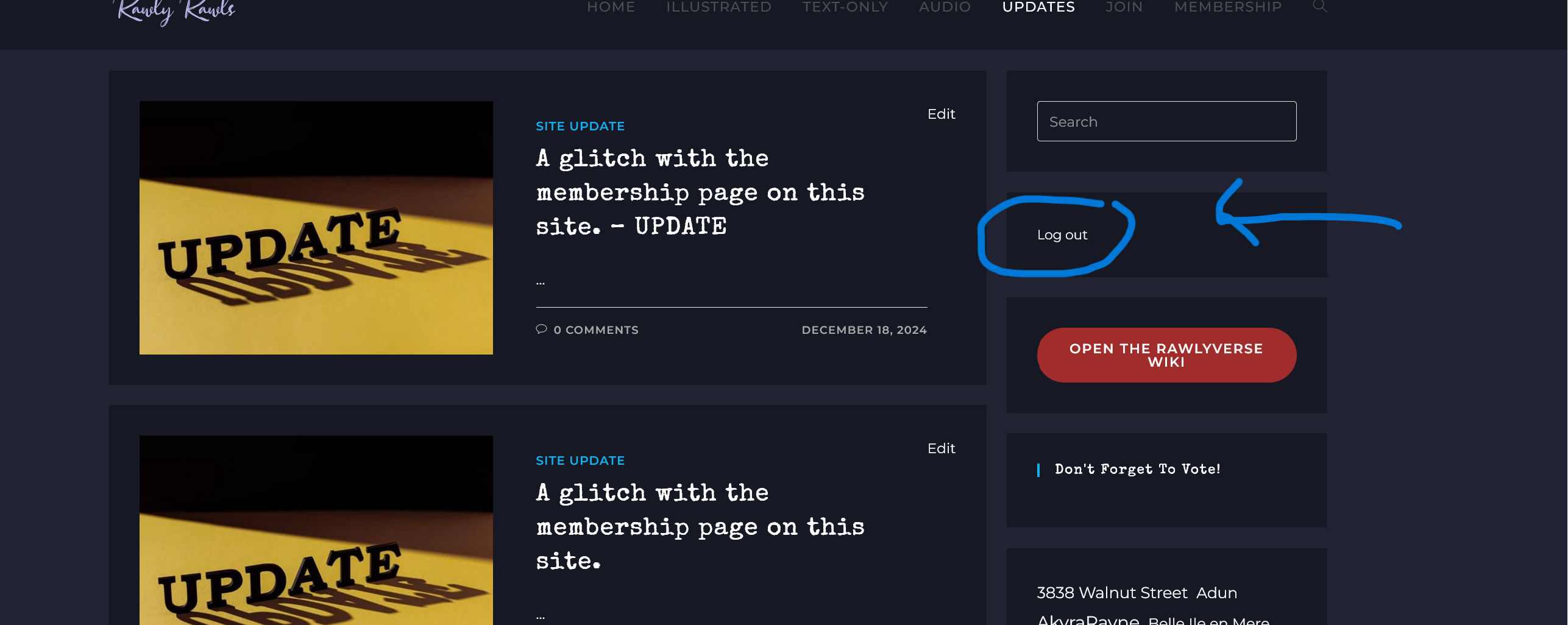
In the meantime, if you need to log in, go to the Updates page on a desktop browser and look to the top right. There is a login button there. I’ll post a picture of it below. Or you can go to this link: https://rawlyrawls.com/login/
While we’re waiting for a fix, if you want to cancel, you can email me at rawls@rawlyrawls.com and I can do that for you.
If you want to rejoin, you can login and then go to the Join page. On the Join page, select a membership level and follow the prompts.
I apologize for the inconvenience. I hope this glitch will be resolved soon.
You can also just type in “login” after the url, and it will take you to the login. I’ve been doing that for a long time cause I wanted to skip the membership page.


You can also just type in “login” after the url, and it will take you to the login. I’ve been doing that for a long time cause I wanted to skip the membership page.
That makes too much sense, haha. Thank you, I’ll add the link to the update.
On my tablet, it is below the current updates.
Instead of upper right.
Thanks for the heads up.
It looks the same. Just under the updatees.